

Chapter 1 - Beginnings
Obviously if we weren't stagnated by support lifecycles and software compatibility, I would be using a beloved system like that all day, every day. However, due to the aforementioned reasons, I cannot. It is truly a shame. However! That will not stop me from wedging Windows 2000 on every possible device I can get my grubby little hooves on.
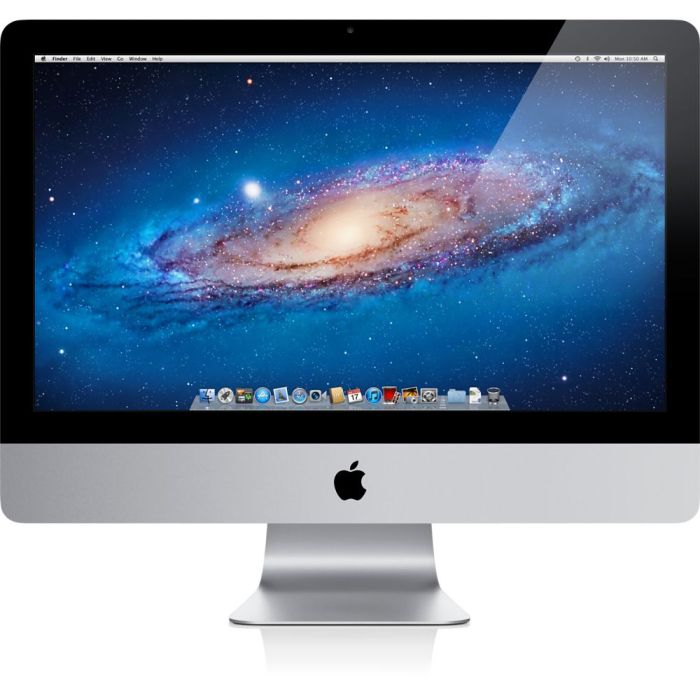
Meet the test bench thingymabob iMacintosh Late 2009 probably-older-than-me machine I do my said tests on. Isn't it beautiful? Well, yeah. It's an iMac. But it's from 2009. This was my target machine and has been for about a month now for my adventures and schemes.
Obviously it's old. But it's 2009 old, and at launch, officially supported Windows XP SP2 via BootCamp. Now, obviously, this has ran XP. It has infact ran all the way up to 10, but XP runs perfectly. Problem. The ol' SuperDrive is dead.
You might be thinking, "But Fleur, why is this a problem?", well. Apple has faith in a lot of things. Back then? They had faith in the (U)EFI interface. So much faith, infact, that iMacs from this era actually only support booting USBs if they contain an EFI bootloader. Optical media does not suffer this fate, as you can boot your gay little heart out with your nice CDs and DVDs even if they were legacy.
Now of course, this usually isn't a problem. macOS since the dawn of ages has used some sort of EFI to boot, which means if you make a macOS USB, chances are you'd have no problem booting it on this iMac. This also means that if you wanted to shove Windows on it, you can very much do so. However, this only applies to Windows that have had the luxury of recieving EFI, which most commonly is Windows 8+.
Remember, this iMac is from 2009. Windows 7 was the most recent Windows version at that time, and back then, you were very so expected to provide an (official, or otherwise burned) DVD that contained the installer. So much so, that even on the latest macOS this iMac supports (10.13), BootCamp forbids the creation of a USB installer. There might be a way around that, but alas. Not my problem.
Okay, okay. So why is this a big problem? Well, Windows 2000. Does not have any EFI support. Unofficially, maybe, but natively, no. This tends to cause problems when you, the ever-so-loving Windows 2000 booter, REALLY wants to use Windows 2000 on an iMac with a dead SuperDrive. You know, now that I'm thinking about it, I think that's a very niche audience.
However, being the gay goat I am, I take big pride in being part of that niche audience, so when I learned about the existance of the Universal NT Installer, curiosity got the better of me. Sure, this could run XP, but what if I really wanted to go.. lower? Obviously not NT 4.0 lower, I really wish, but driver support would be extremely limited (and very much so is), so that go(a)t out of my mind very quickly. So 2000 it was!
Chapter 2 - The Start of Many
Let's cycle back to a looong time ago, probably around early to mid March of 2026. I was sitting at my house, bedrotting and being a lazy fuck as usual, when the initial thought of experimenting came to my smooth brain once again. I was content with whatever was running on the iMac at the time, as it usually just sits there and feeds me Breaking Bad, but I had another machine. It's a 2004 Compaq laptop, and as much as I love it, it's starting to really show it's age. Dead hinge, dead internal speakers, keys are falling off, et cetera.
There was a quirk of this 2004 laptop, though. It ran Windows 2000. Obviously not officially, something like it was never supposed to run Windows 2000. But it did, and that was the charm of it. It ran 2000, and it ran it very well. It's fast, speedy, and probably on it's way to bursting in flames the second I open another Explorer window.
And that charm was enough to spark something in my mind.
Like I said, one of the things that incited me was the fact that I love Windows 2000. If I can't run NT 4, it'd be 2000. And I don't have very many machines that are old enough to run a range of operating systems I like. But something that made me look at the iMac, was that it could run XP. Perfectly well, actually. And while XP isn't just 2000 with a fancy new coat (atleast, the later service packs aren't!), it was definitely something that made me start pondering the possibility of it. So I did some research. Driver support, the possibility of it, et cetera.
Pondering wasn't gonna get me very far, so I hopped on over to my PC and looked at my possibilities. If I could install XP via a USB, I could atleast try 2000. So I installed GRUB to the internal hard drive via a lot of shennanigans, and put the 2000 installer files on a USB.
Attempt 1 - GRUB
GRUB is a beautiful piece of software. A nice bootloader, which has been around a looooong time. Long enough to be developed to where it could boot Windows if you ask nice enough. So I tried to boot the installer!
One problem. GRUB is.. a bit tempermental. The first thing I tried was booting setupldr.bin directly. This.. did not work very well, and the furthest I got was getting to a portion of setup where Windows 2000 was complaining about there being no valid Windows installs to "upgrade". Okay, fine, okay. So next thing I tried was booting NTLDR, in order to atleast try boot the setup with some sort of boot.ini.
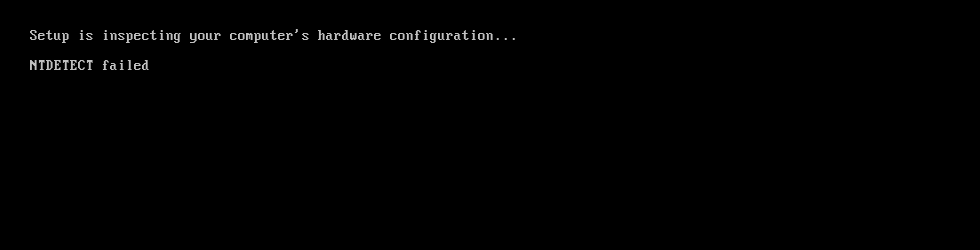
Well, that didn't get very far. The furthest I could get, no matter what boot.ini I tried, NTDETECT would fail to detect the NT and just fail.
...Okay, guess I'll move on.
Attempt 2 - FreeDOS
FreeDOS. It's DOS, but free!
Obviously FreeDOS isn't EFI, so using GRUB to chainloader +1 the USB and boot FreeDOS was my option. So that's exactly what I did! I booted FreeDOS, and for the first time I actually felt close! Windows 2000 has WINNT.exe, which allows one to run the setup from DOS, just incase you were holding out on Windows 98 and you hate GUIs or keeping data.
I ran into a problem, though I'm a fan of MattKC, so I kinda immediately picked up on.. what was really happening. Unfortunately, just like how MattKC did, I couldn't advance any further into the setup where it was asking me to press keys. I was stuck, I only really had a USB keyboard and just like that Australian guy, I couldn't get through setup, and unfortunately, not even an unattend file would help me out. That's a dead end, then.
Chapter 3 - Crazy Handful of Nothin'
Ah, the Universal NT Installer. I had taken weeks off the thought, since a lot of it was just trial and error, so when my attention was brought to this amazing project, I had to take a look. To take a run, I tried this on the aforementioned 2004 laptop again, and installed Windows 2000 a lot faster than the stock installer, but the long part usually came from the formatting part since it was an 80GB hard drive.
It was a success! So, I tried it on the iMac next. Obviously, the GRUB install was long gone since I had shoved macOS back on it, so I booted into a live GNU/Linux environment in order to install GRUB with a --target=i386-pc flag. And it worked! I was able to boot the Universal NT installer due to it being based off of Tiny Core Linux, allowing GRUB to easily boot it with a chainloader +1 command.
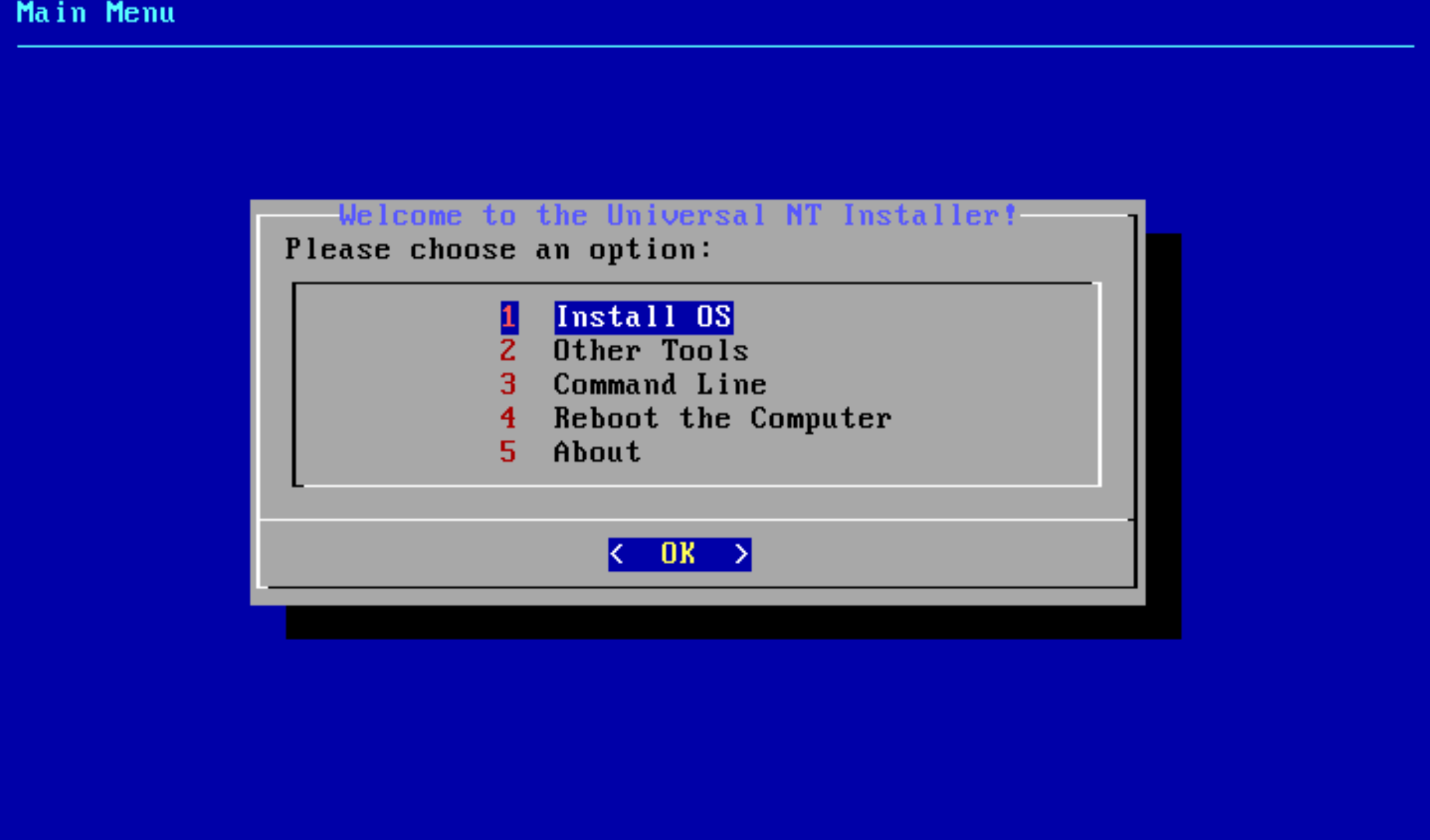
Obviously, I was thrilled that it was booting, so I went through, formatted all my partitions, and got to work installing. Now, the lovely thing about the Universal NT installer is that, it has patched versions of the OS'es it supports. For example, the Windows 2000 option has two options - a vanilla install, or a patched install. The patched installer basically just integrates things such as drivers for AHCI/SATA, which, I thought, perfect! The iMac uses a SATA interface, so I might aswell try.
Unfortunately, my passion and my hope got the best of me. After I succesfully installed in very little time, I rebooted, and crossed my paws in hoping that I would be able to install.
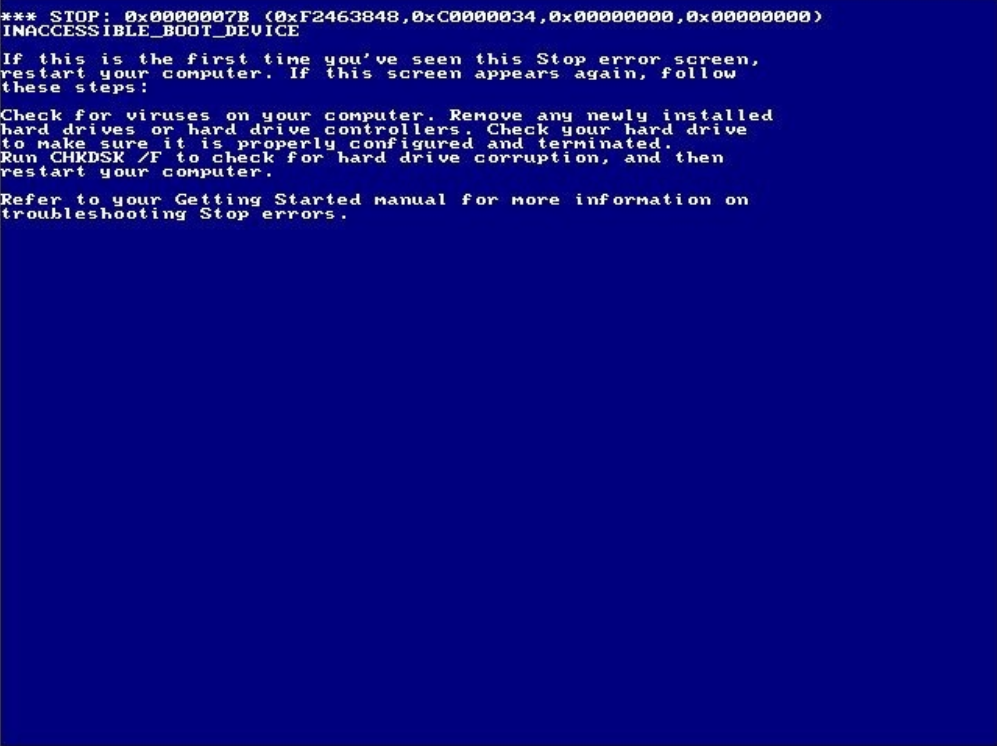
...yeah, it didn't take very long before my hubris cut me short. Due to what I can only assume to be incompatible drivers, the furthest I got here was a 0x7B, or in more coherent terms, INACCESSIBLE_BOOT_DEVICE. Incase it wasn't obvious enough, it means that the device Windows is trying to load is unable to be loaded from, and this typically means you try boot the OS without the proper drivers to initalise your preferred storage medium.
Was I expecting this? Yes. Very much so, actually.
The chipset this iMac uses, from what I could gather, is ICH10-R. This southbridge chip was released in 2008. Windows 2000 was obviously released in 2000. This means that driver support was going to be veeery limited for whatever SATA driver this needs. There were drivers for this chip released for Windows XP up to Windows 11, meaning that XP is fine with it. 2000, not so much, but I had somewhat hope for a modded driver.
So, I decided to turn to nLite. nLite allows intergration of drivers into Windows 2000 and XP, so I thought I might aswell try. So, I went to my favourite search engine and looked for the SATA and storage drivers for this chipset, and then shove all those grubby little drivers into nLite. Now, nLite can make a bootable *.iso, but there was a slight problem. The Universal NT installer uses *.WIMs. Now this initially confused me loads, as I had figured WIMs were used for Windows Vista and above. But, apparently, you can image pre-Vista OSes into WIMs! So, I did exactly that! I followed the instructions on the GitHub in order to put it into a nice WIM, and then shoved it onto a USB. Unfortunately, that. Didn't really work.
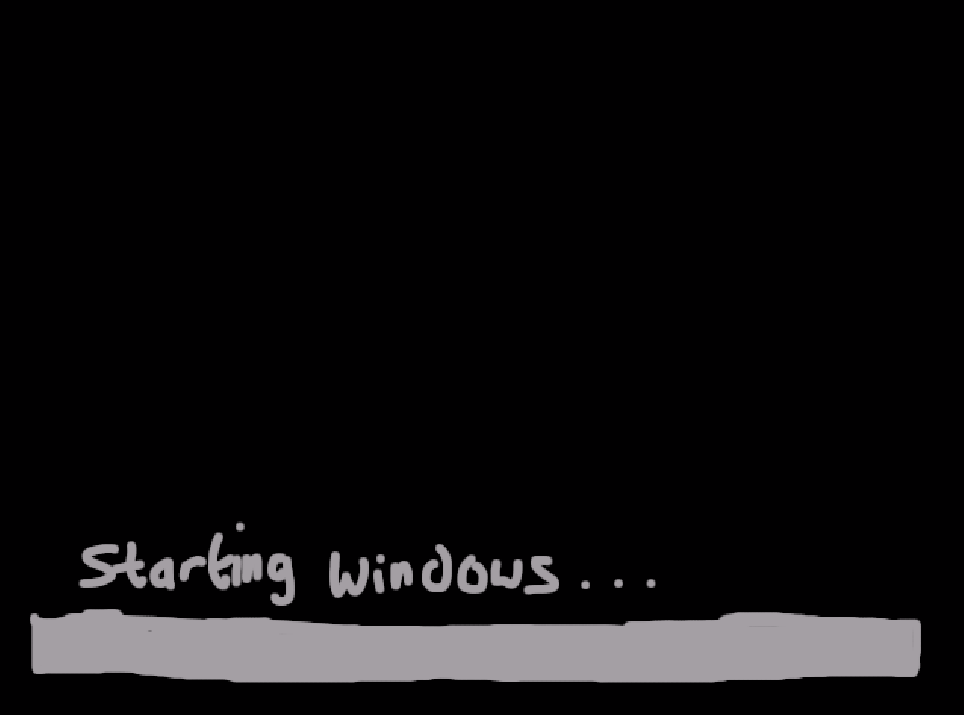
I was unfortunately stuck on the "Starting Windows..." screen, not even to the splash screen or a BSOD like last time. Just. Stuck. Couldn't boot into Safe Mode, couldn't do anything.
This happened back and forth muuultiple times. I tried different combinations of drivers, different setups, everything, but unfortunately I guess the combinations I tried were bad enough to not even let Windows boot properly.
'Kay, so that was a dead end.
Chapter 4 - Weaponised Stupidity
So, with a few days break, I took no notice of it. I had Windows 8.1 installed on it for a while, and was just stuck on what to do. But I was quite tempted by it for a long time, I couldn't just up and drop it like that. So, I did what only logical people do, and create a GitHub issue that I had to make a whole new account for, because thanks to GitHub for rate limiting my account for over a month after opening a support ticket. Big up the multibillion dollar corporations!
After a back and forth for a while, I was provided a custom image that had ATA drivers installed. Didn't work, same issue, furthest I got was 0x7B. Okay, that's fine.
After a while, I really couldn't figure it out. I tried multiple things and kept having to boot into Alpine Linux just to install GRUB again in legacy mode. And then I was referred to DistroHopper, the same one behind porting Windows XP to the Apple TV. So I shot them a DM!
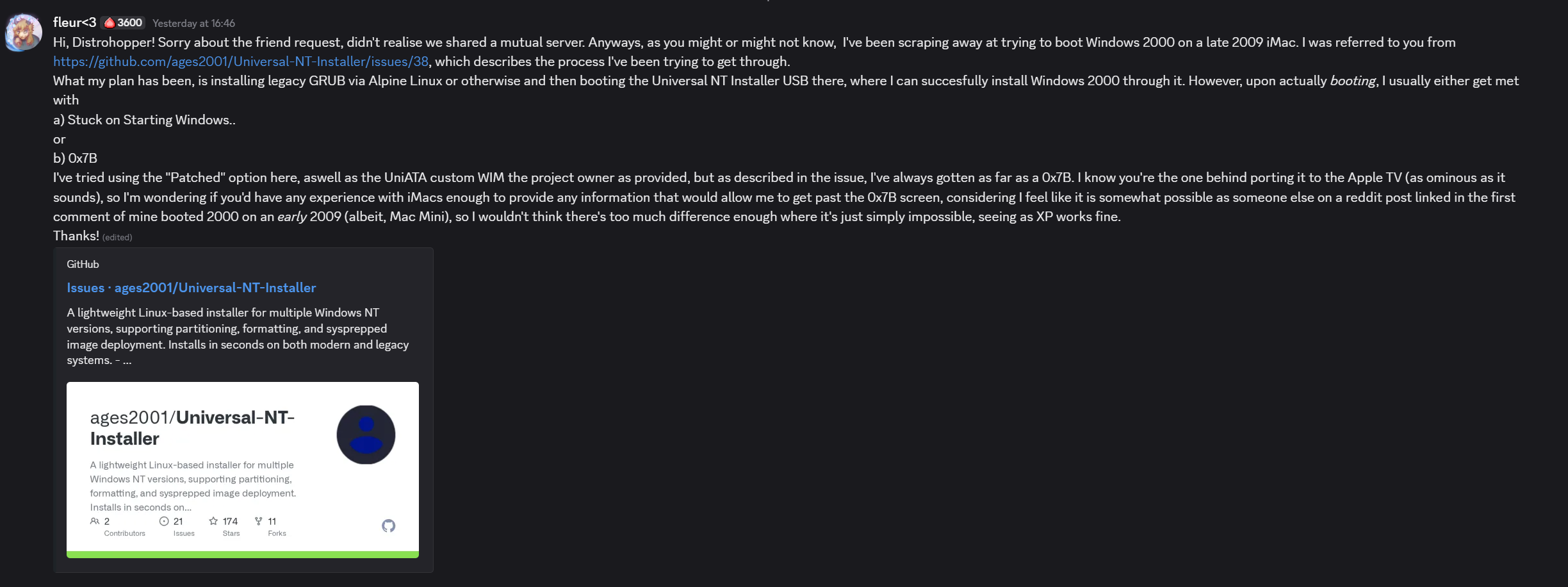
I got a response after a bit, to which we went back-and-forth ruling out potential issues, for example a drive being over 128GB (which it is not, it is only 120GB), but something caught my ire. He confirmed that, to my suspicion, iMacs do switch to IDE compatibility mode upon booting legacy. They do not keep SATA. One Google search would've confirmed that, but alas. I just recieved confirmation.
So I went back to the Mac. I didn't know what I was doing, nor did I really have hope in myself, but I decided to try something. I booted the USB again, but I selected the vanilla option for Windows 2000. After it finished shortly after, it rebooted, and I reallllly didn't have any hope at all that it was even going to work. But, as the splash screen generated more squares, I crossed my hooves again.. and, after about 5 seconds of screaming internally, it. Booted. Into the second part of the setup.

I was between being shocked and stunned. I was kind of skeptical, wondering if it was to freeze, but.. it really didn't. At all. It kept going through until it rebooted very swiftly (due to the SSD upgrade) and then booted into the desktop. I was still, really stunned. All this time, weeks of effort, and all it took was choosing one different option I had ruled out from the start (thinking it was due to a lack of drivers, rather than too much of them)
Chapter 5 - Cat's in the Bag
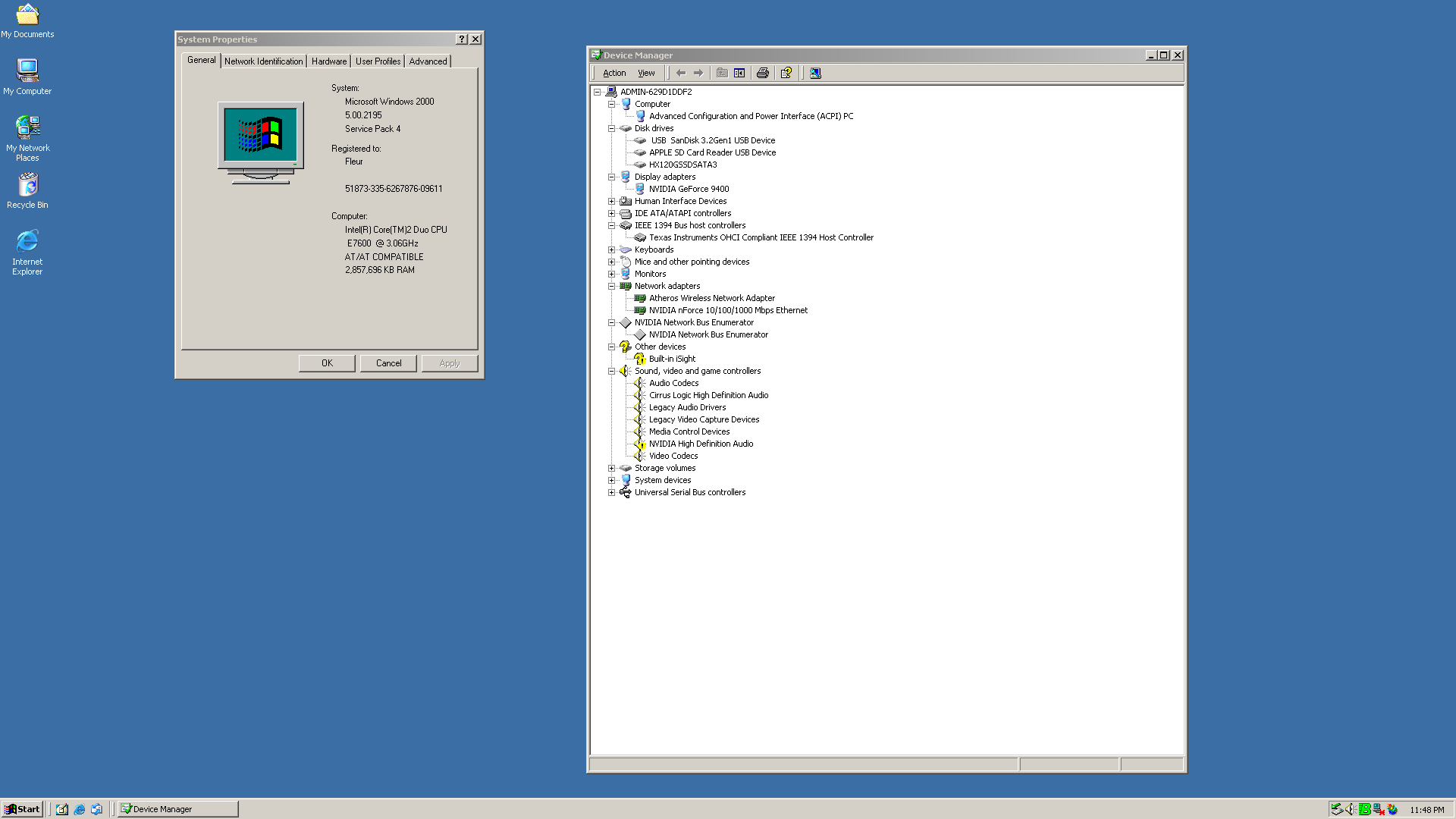
Drivers, I thought, were to be an issue. While it was XP-compliant, I had a few concerns. For example, the NVIDIA GeForce 9400 in this thing, might not have drivers for 2000. But, after cobbling together multiple different versions of the driver, some patched, some vanilla, I managed to coerce Windows into manually installing the driver, and after a reboot, it actually worked, and I had Windows 2000 in full colour. But, to avoid rambling on about drivers, here's a nice table to show what worked and what didn't (with partial inspiration from DistroHopper's website)
..so, yeah! Windows 2000 runs, and it runs damn well for a dual-core CPU and all the RAM it could ever want. It's probably very overkill, but it's worth it.
This has been a long blog, but hopefully you enjoyed reading it. I'm Fleur, and I've been wasting your precious goat-time. Thanks for reading! ♡
 Internet